
Introduction
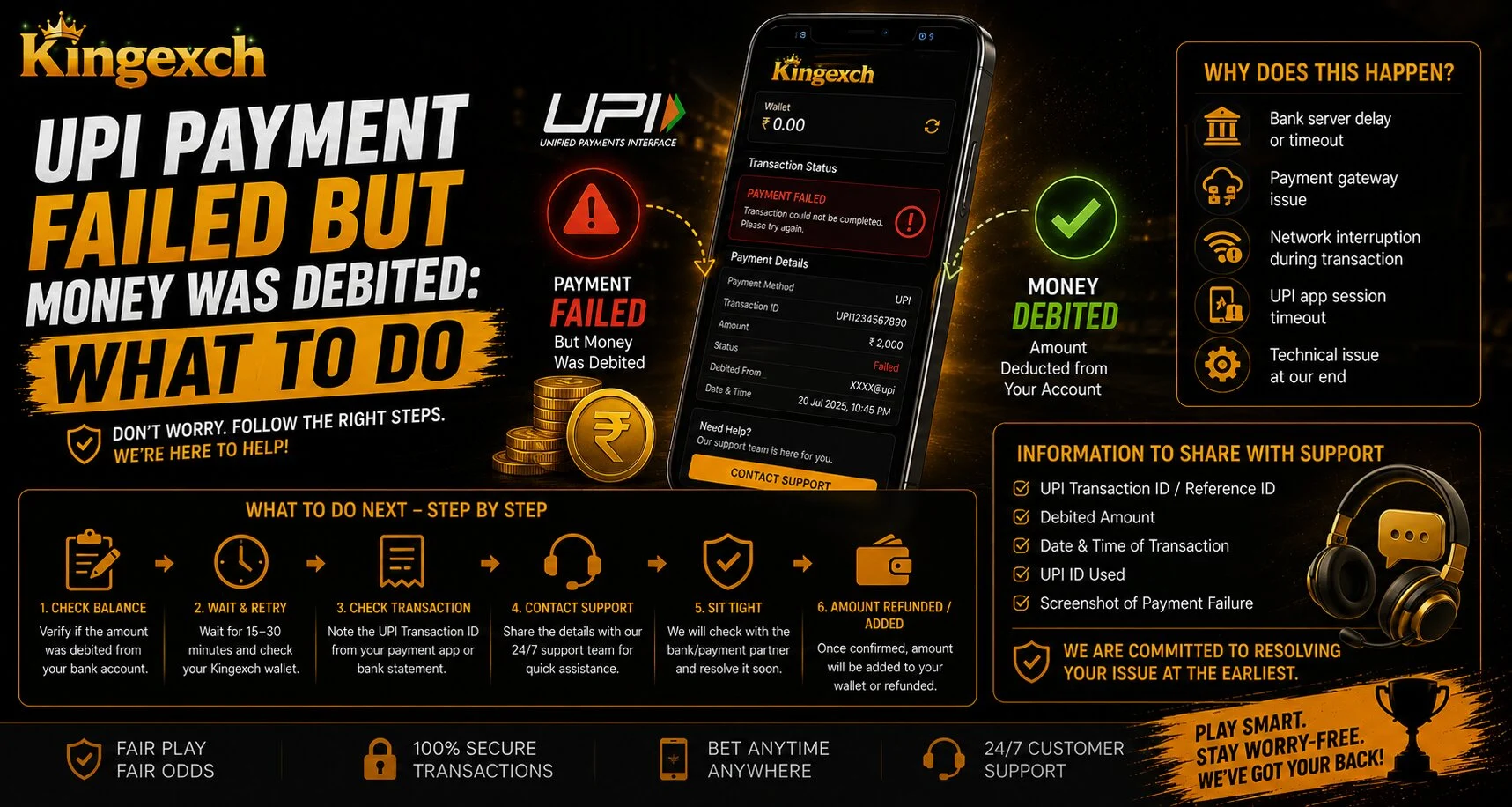
UPI payments are fast and convenient, but sometimes a transaction may fail while the money still gets debited from the bank account. This can happen because of bank server delay, network timeout, app error, payment gateway issue, or pending confirmation between the bank and merchant.
For users making payments through Kingexch, this situation should be handled calmly and step by step. The website mentions UPI, cards, wallets, encrypted transactions, and customer support as part of its payment experience, so users should always keep transaction proof ready and avoid repeating payments too quickly.
Why UPI Payment Fails After Debit
A failed UPI payment with money deducted usually means the transaction status is not fully confirmed. The amount may be stuck between the sender bank, UPI system, and merchant payment gateway.
Common reasons include:
- Poor internet connection
- Bank server timeout
- UPI app technical issue
- Incorrect payment response
- Merchant gateway delay
- Pending transaction confirmation
According to NPCI, UPI is an instant payment system developed by the National Payments Corporation of India and regulated under the RBI framework.
Step 1: Check Transaction Status
The first thing users should do is check the transaction status in their UPI app or banking app. Sometimes the app shows “processing” or “pending” before changing to success or failed.
Check these details:
- Transaction ID
- UTR number
- Date and time
- Debited amount
- Receiver name
- Payment status
Do not delete the payment message or screenshot. These details may be needed for support.
Step 2: Wait Before Trying Again
If money is debited but the payment failed, avoid making the same payment again immediately. Many failed UPI transactions are reversed automatically after system verification.
NPCI’s UPI FAQ says that if a UPI transaction fails but the bank account is debited, the refund should be received within 1 hour; if not, users should contact their bank’s customer support.
Step 3: Contact Your Bank or UPI App Support
If the refund does not appear within the expected time, contact your bank or UPI app support. Share the transaction ID, amount, date, and screenshot.
You should explain:
- Payment failed
- Money was debited
- Merchant did not receive confirmation
- Refund has not been credited
- Transaction proof is available
NPCI also provides options for users to check transaction status and register complaints through the relevant bank or institution using NPCI payment systems.
Step 4: Contact Platform Support
After checking with your bank, contact the platform support team if the amount was meant for a betting or gaming account. Share only necessary transaction details and never share your UPI PIN, OTP, full card details, or banking password.
Users checking updates on King Exchange 9 should keep the payment screenshot, UTR number, and registered mobile number ready before contacting support. This can make the checking process easier and faster.
Step 5: Keep Proof Until the Issue Is Solved
Payment proof is very important in failed transaction cases. Users should keep all records until the refund or account credit is confirmed.
Important proof includes:
- Bank debit SMS
- UPI app screenshot
- UTR or transaction ID
- Payment date and time
- Merchant reference, if available
- Support complaint number
Good record keeping helps avoid confusion during follow-up.
Safety Tips During Payment Issues
Payment problems can make users panic, but safety should always come first. Fraudsters may use fake support pages or unknown links to collect private details.
Follow these safety tips:
- Never share UPI PIN or OTP
- Avoid unknown support numbers
- Do not click random refund links
- Use official support channels only
- Check bank statements carefully
- Wait for proper confirmation
For users accessing King Exchange, payment safety is just as important as fast account access.
Conclusion
A failed UPI payment with money debited can be stressful, but most cases can be handled with the right steps. First, check the transaction status, wait for automatic reversal, contact your bank if the refund is delayed, and then share proper proof with platform support if needed.
Users should avoid repeat payments, protect private banking details, and follow responsible account habits. A careful approach can help resolve payment issues more safely and smoothly.
FAQs
Why did my UPI payment fail but money was debited?
This may happen because of bank timeout, network delay, UPI app issue, or payment gateway confirmation failure.
How long should I wait for a refund?
NPCI says users should receive a refund within 1 hour for failed UPI transactions where the bank account was debited.
What details are needed for a complaint?
You may need the transaction ID, UTR number, date, amount, debit screenshot, and payment status.
Should I make the payment again immediately?
No, wait and check the status first. Repeating the payment too quickly may create duplicate debit issues.
Is it safe to share my UPI PIN with support?
No, never share your UPI PIN, OTP, banking password, or full card details with anyone.


